Matchday preparation
One camera. One end of the pitch.
A clear view of one goal is more useful than a distant view that misses the action. Choose your angle around the moments you want to keep.
Single-camera coverage
Choose your end of the pitch
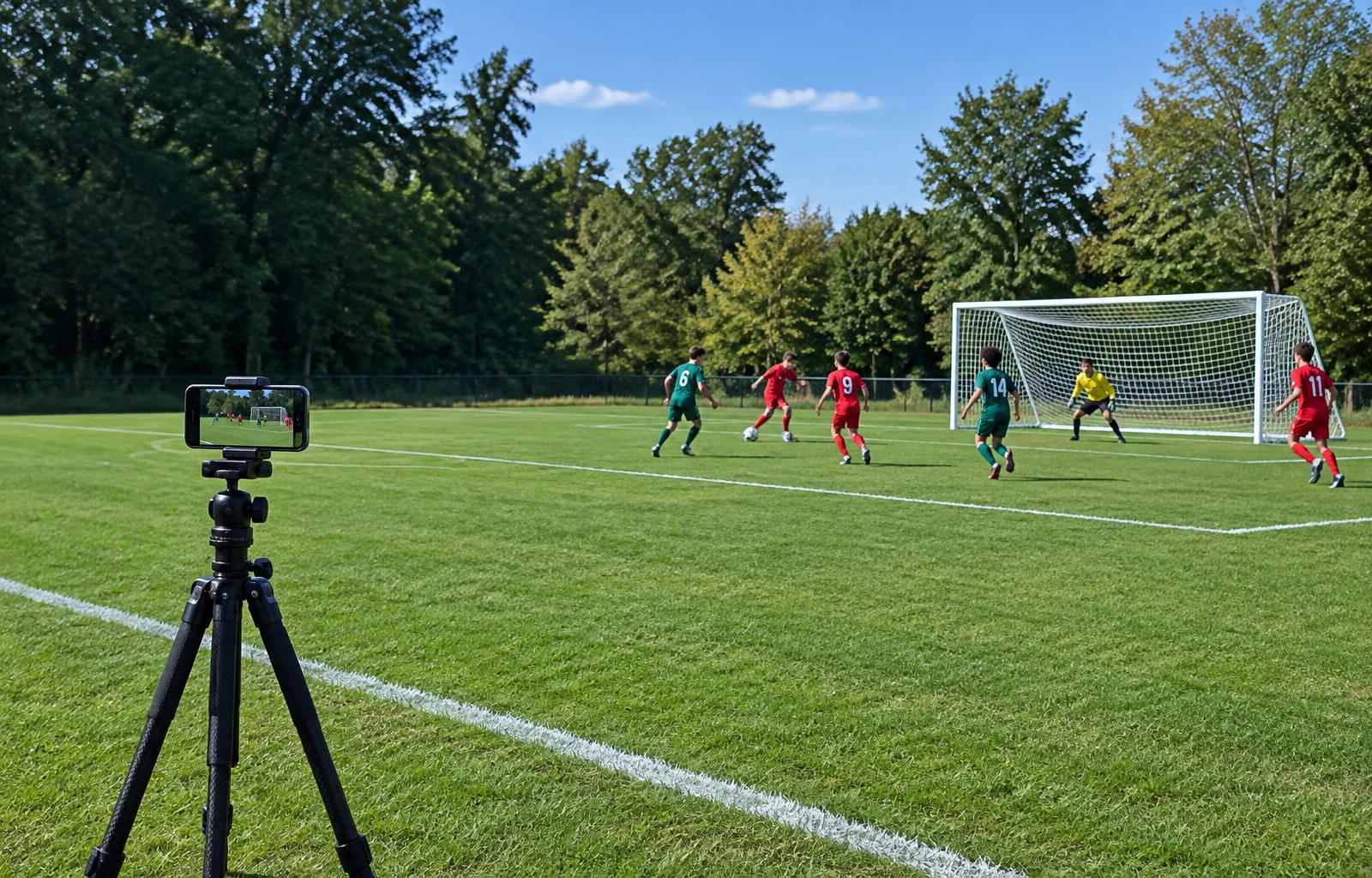
Your goal. Every defensive moment.
Frame the goal your team is defending, the penalty area, and the nearby approach. Best for saves, tackles, and defensive play.
Place the tripod safely outside the touchline near the chosen penalty area; aim diagonally toward the goal.
Only visible action can become a clip. When teams switch ends, stop recording and reframe for the next half.
Set up a clear, safe shot
01
Stay outside the playing area
Place the tripod outside the touchline near the chosen penalty area. Follow venue rules, stay clear of players and officials, and never put equipment on the field.
02
Aim diagonally toward the goal
Include both posts, the crossbar, the penalty area, and space for the approach. Use a lens that keeps players recognizable; wider is not always better.
03
Keep the frame still
Use landscape video and the highest tripod position that is safe and stable. Check a short recording before kickoff. Avoid panning and zooming during play.
04
Reframe when teams switch ends
At the break, stop recording. If you want the same attacking or defensive perspective, move or re-aim safely before the next half and start a new recording.
Before you press record
- Whole goal and penalty area visible
- Phone securely mounted in landscape
- Battery charged or power bank connected
- Enough storage for your recording
- Do Not Disturb enabled
- Tripod stable and outside the touchline
The other end of the field may not be visible. No software can recover action outside your recording. Clip tracking can lose identity in crowds; review it before export.